HashCortX is a desktop AI workspace. Chat, write code, read your own documents and put a team of agents on one brief — from one window, on your own machine, with no server in the middle.
21 providersOr local models through Ollama and other apps
You set what it may doManual asks before every change
Ask HashCortX AgentReady
Hi, I'm the HashCortX agent. Ask me anything about the app, your privacy, installing it or its developer. Or tell me what you'd use AI for, and I'll tell you honestly if it fits. What brings you here?
HashCoder is the coding agent that works on your real project. Around the model sits a harness: HashCortX decides what the model is shown, what it may do without asking, and what it has to prove before a run may end. The model's word alone is not enough.
01
Reads
It starts from your project, its notes for agents and its latest commits. Larger models also get a map of your code.
02
Plans
A request with several asks is split ask by ask, and each one is reported as done or not, with the reason.
03
Edits
Every change is a diff you keep or undo, made under the permission mode you chose: Manual, Accept edits or Auto.
04
Proves
It runs your project's own tests and reads a changed site the way a browser would. The last line says what was proven.
05
Reviews
A larger change gets a second look from a reviewer that sees only your request, the changes and what was run.
06
Sends back
Missed asks, a renamed name still written somewhere, files that never load each other, details nothing it read supports.
It loops until the work is proven, not until the model says so. And it is fitted to the model you chose, from a 3B on your laptop to the cloud:
How the harness fits each size of model
Model
Mode
What it gets
Small, under 5B
Light mode
The model writes whole files; HashCortX does the tool work and runs the tests for it.
Mid-sized, 5B to 15B
Focused tools
The tools a coding task needs, its steps written out, and a plan for longer requests.
15B and up, and cloud
The full harness
A map of your code, lessons per project if you switch them on, and a reviewer for larger changes.
The MacBook notch made useful: music, focus, calls, live stats, power in watts, and every setting one click away.
Seven workspaces. One window.
Chat, HashCoder, Finance, the security scanner, the ERP builder, 3D Forge and Agent Swarm each get their own workspace. Agents, the knowledge base, the Python sandbox and split view work inside them.
Chat
Conversations that remember. Any model from any provider you have a key for — attach a PDF or an image, have a link read, and keep facts across chats.
21 providers · files and images · memory · versions
YouCaching user lookups in a Node API: in-memory or Redis?
HashCortXA comparison table and working code, on a model running on the same laptop
HashCoder
An agent that works in a real project folder. It makes each change as a diff you keep or undo, runs your tests, and checks its own work before it says it is done.
Real edits · proves its work · permission modes
YouAdd input validation to POST /users and run the tests
HashCortXTwo edits proposed, each with Keep or Undo · 3 tests passed
Agents
Nine specialists ready to use — research, deep research, published-papers search, URL reading, CV auditing and more — plus a builder for your own.
9 built in · build your own
YouFind recent published papers on this question
HashCortXA list of real papers with links, from the papers-search specialist
Knowledge base
Add your own documents and it finds the right passage by meaning, not just by matching words. The model is built in, so it works with the network off.
Offline · by meaning
YouWhere do my notes mention the renewal deadline?
HashCortXThe passage that answers it, even when the words differ
Python sandbox
Real Python with pandas, numpy and matplotlib. Ask for a chart or a report and get an actual .docx, .xlsx, .pdf or .png, saved where you choose.
pandas · numpy · Word, Excel, PDF
YouChart monthly spending from this CSV as a PDF
HashCortXA real PDF file, saved where you choose
Finance
Drop in a bank statement, CSV, PDF or spreadsheet and get totals, trends and a transaction table — calculated from your figures, not guessed.
PDF, CSV, XLSX · no invented figures
YouSummarise this statement
HashCortXTotals, trends and a transaction table, all calculated
Security scanner
Point it at code or text you did not write, and a group of agents checks it for malware and hidden instructions before you trust it.
Untrusted code · prompt injection
YouIs this pasted install script safe to run?
HashCortXA verdict from several agents, with the lines that worried them
Agent Swarm
Describe the task and a team is designed for it, sized to the work and to your computer, on any mix of local and cloud models. The result holds every file and every version.
Designed from the task · any model · every version
YouA shop for my bakery, with a cart and an order form
HashCortXA team sized to it, the live trace, and the site to open in your browser
Also in the window: 3D Forge, which turns a description into a solid in millimetres and exports STL, OBJ, 3MF and STEP; an ERP builder for small business tools; and Split view, which asks two models the same question and shows both answers as they type. The first two are earlier and rougher than the rest, and the release notes say so.
Your keys, your files, your call.
There is no HashCortX server. Requests go from your machine straight to the provider whose key you entered, or to a model running on your laptop.
Try it — this is the prompt the app shows
HashCoder wants to run npm test in ~/Projects/orbit-api
Audit log
09:41:07fileread src/routes/users.tsAllowed once
01
Your keys stay on this machine
Each one is sent only to the provider it belongs to. Point the app at a model through Ollama and no key is needed at all.
02
You choose how much it asks
Manual asks before every change, and is where it starts. Accept edits and Auto ask less, and nothing gets past the blocklist built into the app. Every decision is written to an audit log, and Undo still works after a restart.
03
Nothing phones home
No analytics, no crash reporting and no update pings. There is no account to make and nowhere for anything to go.
One brief. Many models.
Describe the task and a team is designed around it, sized to the work and to your computer. Some agents do the work, each on its own model, and one delivers the result. You watch it happen and keep every file. If one provider is busy, the run moves to another on the same side and carries on.
Your briefOne taskWritten once
OrchestratorSplits itInto three parts
Worker · local modelPart one
Worker · cloud modelPart two
Worker · cloud modelPart three
ValidatorChecks itBefore you see it
ResultYours to keepOr undo
Workers answer side by side, each on its own model, and the validator checks the result before you see it.
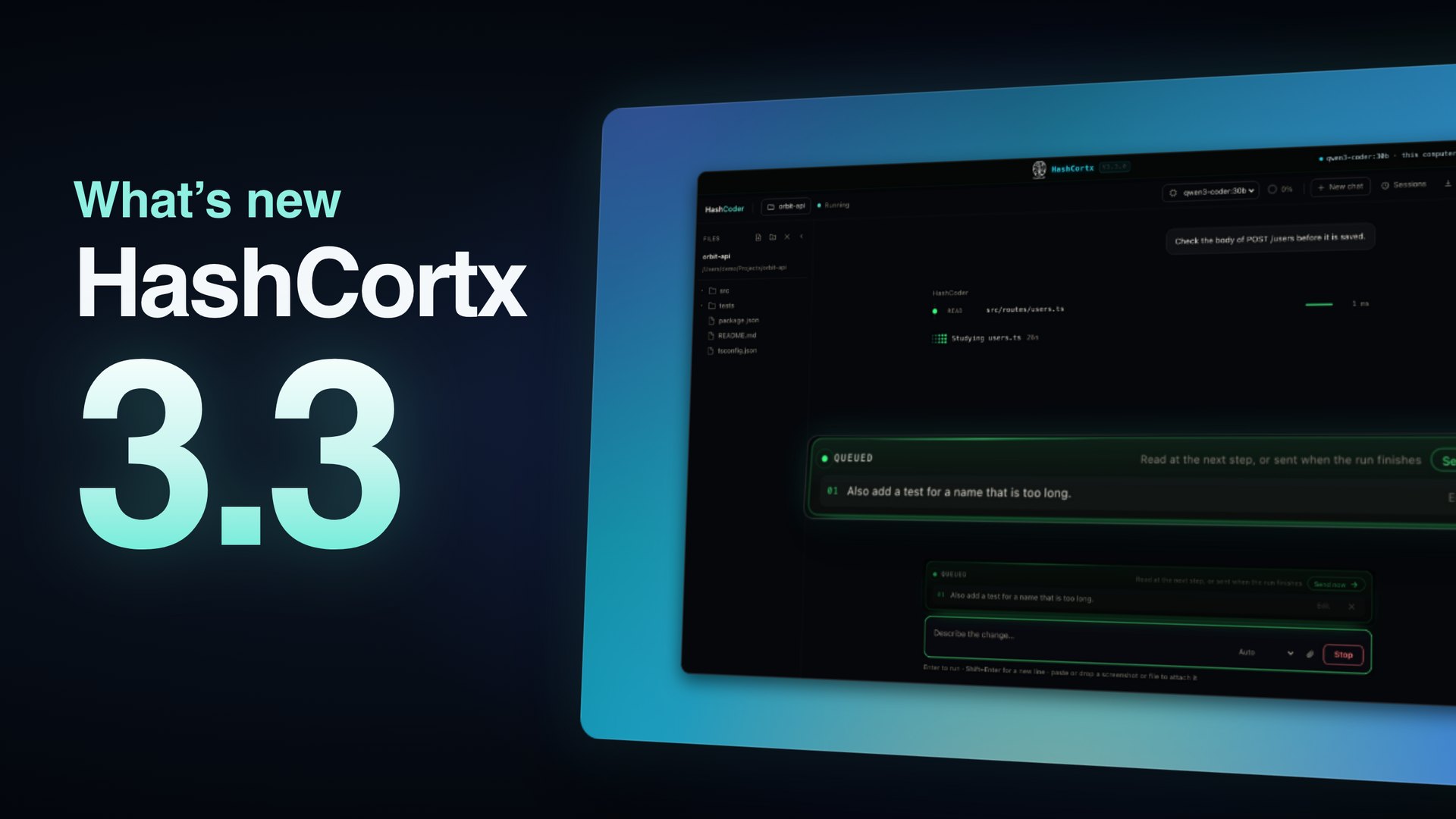
Version 3.3 is the focus release.
Every release ships with a written list of what is still open. That list is part of the release, not left out of it.
3.3.0Current release19 October 2026 · 57 commits since 3.0.0
Local models answer sooner, and HashCoder does what you asked.
Local models, faster. Each request's window is sized so the model stays on your graphics chip, measured after every answer, and the model stays loaded between the steps of a run. Smaller models read one line per tool.
HashCoder does what you asked, and no more. No features, files or fixes you did not ask for, an answer of a few plain sentences, and smaller models held to what they ran and said.
Keep talking while it works. A message sent while a model works waits in a queue and goes when the work ends, or at once with Send now. An edited message or a regenerated answer becomes a version in its chat.
Show more of 3.3
3D Forge. Models in their own colours, a faster first open, and drawing only when the view changes.
Settings. The two Ollama settings that let more of a model fit, for a Mac and for Windows, ready to copy, and a choice of where local models run.
Across the app. Files dropped on the app reach it, the title bar names the model answering, and models without tool calling answer in one shape Ollama holds them to.
Removed. The Virtual OS workspace, and what it saved is cleared at first launch.
Version 3.0.0 · 6 October 2026
HashCoder proves its own work, and the Agent Swarm designs its own team.
The HashCoder harness. It runs your tests, reads a changed site the way a browser would, checks each ask, and sends itself back until the change is proven. Fitted to every model size, with a light mode for small models on your own computer.
Permission modes. Manual asks before every change and is where it starts. Accept edits writes project files freely. Auto adds a fixed list of read, search and check commands.
An Agent Swarm that designs its team from your task, sized to the work and to your computer, asks first for details only you can give, and can finish the agents that did not.
Connections, new. Connect a business system over MCP, with Odoo, GitHub, Stripe and Supabase ready-made. Reading asks once, and every change asks every time.
Local models. Models from other local model apps appear beside Ollama's, every local model works as an agent, and the app says when one does not fit in graphics memory.
Privacy. Memory has a switch, the app's own instructions are never shown or exported, and chat agents and HashCoder ask before they search the web.
Security. On macOS, agent commands run inside the system sandbox, Python from a model runs in a sealed worker, and the blocklist is stricter.
Across the app. ERP design changes are a short list of edits, Finance adds up every figure itself, SambaNova and NVIDIA work, and nothing in the app is an emoji.
Version 2.6.0 · 1 September 2026
It runs on Windows, and 3D Forge makes files you can actually use.
Windows runs it, and there is a Windows download. The download starts on a PC of any age; it searches your documents by keyword rather than by meaning, and says so.
A model has a real size, in millimetres, written into every file it exports, so what comes out of Forge is a part, not a picture of one.
Solid geometry. Parts fuse into one solid, a design can cut a hole through it, and a model can be hollowed to a real wall thickness.
Its own STL, OBJ, 3MF and STEP writers, and a printability report in millimetres.
Also fixed: a bracketed debit was counted as money coming in, and generated dates landed a day early everywhere east of Greenwich.
Version 2.5.0 · 17 August 2026
Things the app said it did, now actually doing them.
Every export now writes a file. Seventeen save buttons and the Python sandbox's own output wrote nothing at all — the window cancelled each one without an error. Saving now goes through the normal macOS save dialog.
Search over your own documents works. The model that reads meaning was fetched at run time and always failed silently. It is now built in and runs offline, in about a millisecond per passage.
The Python sandbox stopped hanging. It starts in about three seconds and produces real Word, Excel and PDF files.
3D Forge opens. One of the two files the 3D engine needs was missing. Both are included, and glTF import and export work again.
Coder's Undo actually undoes. Every change is saved first, and Undo still works after a restart.
Coder can run commands again, read PDFs, and look at images.
Windows and Linux compile and pass their tests on every change, alongside macOS.
Security: reading a web page, moving a file out of the project, and following a shortcut that points outside it all ask permission now.
Fixed: images sent to Anthropic were always labelled as JPEG; Gemini was sent tools in a shape it rejects; long replies could be cut short on screen.
macOS will refuse to open it the first time. That is expected.
The app is not signed by Apple, because that needs a paid developer account, so macOS says it is damaged or cannot be checked. Nothing is wrong with the download. Drag it into Applications, run this once in Terminal, then open it normally.
xattr -cr /Applications/HashCortx.app
Step by step, on every system.
Every app downloads ready to run on an Apple Silicon Mac, and HashCortX also on Windows. Everywhere else you build it from the source, which takes a few minutes.
Which app runs on which system
App
macOS, Apple Silicon
Windows
Linux
HashCortX
Download and run
Download and install — tested on Windows 10
Build it, steps below
HashMeterAi
Download and run
Build it, steps below
Build it, steps below
HashNotch
Download and run
Mac only — HashWinNotch is being built
Mac only
HashWinNotch
Not applicable
Being built — nothing to download yet
Not planned
Installing HashCortX 3.3.0
Ready-made downloads for Apple Silicon Macs and for Windows. On an Intel Mac and on Linux you build it from the source — the same app, compiled on your own machine.
macOS, Apple Silicon Download and run · about 5 minutes
Download HashCortx_3.3.0_aarch64.dmg from the releases page.
Open the disk image and drag HashCortx into your Applications folder.
The first time you open it, macOS will say the app is damaged or cannot be checked. It is not damaged — the app is unsigned, and macOS treats everything unsigned this way. Open Terminal and run this once:
xattr -cr /Applications/HashCortx.app
Open the app normally. After an update to a newer version, run the same line once more.
Open Settings and paste in a key for whichever AI provider you want to use, or point it at Ollama to run a model on your own machine with no key at all.
Windows 10 and 11 Download and install · about a minute
Download HashCortx_3.3.0_x64_no-embeddings-setup.exe from the latest release.
Run it. Windows shows a blue Windows protected your PC box, because the installer carries no paid signing certificate. Click More info, then Run anyway.
Follow the installer. It puts HashCortX in your Start menu; open it from there.
Coming from 2.6.0? Your keys, chats and settings carry over, and the old program file can be deleted.
This one starts on a PC of any age, including one made before 2013. The trade is that it searches your documents by keyword rather than by meaning, and it says so. Everything else — the chat, the coding agent, the swarm, the file work — is the same app. For search by meaning on a 2013-or-newer PC, use Windows, build.
Windows, built for a newer PC Build it yourself · about 20 minutes the first time
Open PowerShell as an administrator for the installing: right-click Start and choose Terminal (Admin) on Windows 11, or Windows PowerShell (Admin) on Windows 10. The three installers below need that permission.
Install Node. Get the LTS installer from nodejs.org and accept the defaults.
Install Rust from rustup.rs — run rustup-init.exe and press Enter for the standard installation.
Install the C++ build tools. Download Microsoft C++ Build Tools and tick Desktop development with C++ before you install. This is the step people usually miss.
WebView2 is already part of Windows 11 and any updated Windows 10. If the finished app will not start, install the Evergreen Runtime from Microsoft.
Close and reopen your terminal so it picks up the new tools. An administrator window starts in C:\Windows\System32, and building there fails later for a reason that gives no clue — the first command below moves you out of it. Building itself does not need administrator.
Run these, one at a time, in the same window. Do not skip any of them: cd HashCortX moves you into the folder the download made, and everything after it only works there. Before npm install, the line PowerShell shows should end in \HashCortX>.
The first build compiles Rust from scratch — ten to twenty minutes is normal. This opens the folder your installer is in; it is the file whose name ends in -setup.exe:
explorer src-tauri\target\release\bundle\nsis
Run that installer, then start HashCortX from the Start menu. Click More info, then Run anyway on the blue SmartScreen box.
Downloaded it before? Do not download it again. Bring the copy you have up to date and build that one:
cd ~\HashCortX
git pull
npm install
npm run tauri build
If you cloned it somewhere else, such as the Desktop, use that folder in the first line. Keep a single copy, so the one you update is the one you build.
If the app does nothing at all when you open it, your processor is older than this build needs (Intel before 2013, AMD before 2015, or many Pentium, Celeron and Atom processors). Use the Windows, older PC tab instead. If git is not recognised, install Git for Windows, or download the source as a ZIP from the repository page.
Windows, built for an older PC Build it yourself · about 20 minutes the first time, longer on an older PC
For a processor from before 2013 (Intel) or 2015 (AMD), and for many Pentium, Celeron and Atom processors, newer ones included. On these the normal build closes before a window appears. This one starts on any 64-bit PC. Searching your documents works by keyword instead of by meaning; everything else is the same app.
Not sure which you have? Open PowerShell and run this. It prints your processor's name:
Get-CimInstance Win32_Processor | Select-Object -ExpandProperty Name
Use this build if it says Core 2, a Core i3, i5 or i7 whose number starts with 2 or 3 (such as i5-2410M or i7-3770), Pentium, Celeron, Atom, AMD FX, Phenom or Athlon II, or an AMD A-series below the 8000 models. If you are unsure, use this build: it runs on every 64-bit PC.
Open PowerShell as an administrator for the installing: right-click Start and choose Windows PowerShell (Admin) on Windows 10, or Terminal (Admin) on Windows 11.
Install Node from nodejs.org (the LTS version), Rust from rustup.rs (press Enter for the standard installation), and the Microsoft C++ Build Tools with Desktop development with C++ ticked.
An older Windows 10 may not have WebView2 yet. If the finished app opens white and empty, install the Evergreen Runtime from Microsoft.
Close and reopen PowerShell so it picks up the new tools. Building itself does not need administrator.
Run these, one at a time, in the same window. Do not skip any: cd HashCortX moves you into the folder the download made, and everything after it only works there. The last line is the one that makes the older-PC version; both pairs of dashes are needed.
When it finishes, this opens the folder your installer is in; it is the file whose name ends in -setup.exe:
explorer src-tauri\target\release\bundle\nsis
Run that installer, then start HashCortX from the Start menu. Click More info, then Run anyway on the blue SmartScreen box.
Downloaded it before? Do not download it again. Bring the copy you have up to date and build that one, with the same last line:
cd ~\HashCortX
git pull
npm install
npm run tauri build -- -- --no-default-features
If you ran the normal build on this PC, it stops and says the processor is missing what the default build needs. Nothing is broken: run the last line above instead. Rather not build at all? The ready-made download on the Windows tab is this same older-PC version.
Linux, Ubuntu 24.04 or newer Build it yourself · about 20 minutes the first time
Install the system libraries the window and the web view need:
You get an AppImage — one file you can run straight away. These two lines find it and start it:
cd src-tauri/target/release/bundle/appimage
chmod +x ./*.AppImage && ./*.AppImage
A .deb is built alongside it, in bundle/deb/, if you would rather install it properly.
Ubuntu 24.04 is a floor, not a preference. The bundled model runtime needs glibc 2.38, and Ubuntu 22.04 ships 2.35. On an older distribution, build without the model — npm run tauri build -- -- --no-default-features — and the requirement goes with it. On Fedora, Arch or others the package names differ but the list is the same: WebKit GTK development files, the app-indicator library, librsvg, libxdo, OpenSSL and D-Bus.
macOS on Intel Build it yourself
Install Apple's command line tools and Node:
xcode-select --install
brew install node git
Install Rust:
curl --proto '=https' --tlsv1.2 -sSf https://sh.rustup.rs | sh
Build it, then open the app it puts in bundle/macos:
The finished program lands in src-tauri/target/release/bundle/.
It looks in the right places on every system. What has not happened is anybody running it on Windows or Linux — so expect it to work, and say so in an issue if it does not.
HashNotchmacOS only, on Apple Silicon and Intel
Written in Swift and reads the Mac's own sensors through Apple's frameworks, so it is macOS only. The Windows version is a separate app, HashWinNotch, still being built.
Download the disk image from the latest release and drag HashNotch into Applications.
If macOS offers Open Anyway in System Settings, Privacy & Security, use it. If it refuses outright, run this once:
To check the download is exactly the published file, compare its fingerprint with the one on the release page:
shasum -a 256 ~/Downloads/HashNotch-*.dmg
Open it. It lives in the notch, not in the Dock — click the notch to open the panel.
After every update, macOS forgets the Accessibility permission. Remove HashNotch with the minus button in Privacy & Security, Accessibility, and add it back. This only affects the media keys in a browser.
When it goes wrongReal failures, the message you see, and what it actually means
Windows
You double-click the app and nothing happens at all
Your processor predates the instructions the bundled model runtime needs — Intel added them in 2013, AMD in 2015 — and that runtime starts before the app does. Rebuild, in the HashCortX folder, with npm run tauri build -- -- --no-default-features, as on the Windows, older PC tab.
Could not read package.json, or ENOENT
You are not inside the HashCortX folder. Go into it, then run the command again:
cd ~\HashCortX
npx: could not determine executable to run
The same cause: you are outside the HashCortX folder, or npm install has not been run inside it yet.
destination path 'HashCortX' already exists
You already have a copy. Do not clone again; update it with git pull inside that folder, as in the last step above.
Warn: the bundle identifier "com.hashcortx.app" ends with .app
Expected, and harmless. The build carries on. That name is where the app keeps your keys and settings, so it stays as it is.
The token '&&' is not a valid statement separator
Windows PowerShell does not understand &&. Run the two halves as two separate lines.
PowerShell opens at C:\Windows\System32
Normal for an administrator window. Type cd ~ first and everything after it happens in your own folder.
I cloned into System32, and cd HashCortX cannot find it
In an administrator PowerShell, copy it out and delete the leftover, then build from your own folder:
robocopy C:\Windows\System32\HashCortX $HOME\HashCortX /E /XD targetRemove-Item -LiteralPath C:\Windows\System32\HashCortX -Recurse -Force
failed to run candle.exe, or bundling fails on a file that exists
Your clone is inside System32. The 32-bit packaging tools are silently sent elsewhere by Windows and cannot see your files. Move the folder somewhere ordinary.
link.exe not found, or an error naming MSVC
The C++ Build Tools are missing, or installed without Desktop development with C++. Run the installer again and tick it.
'git' is not recognized — or npm, or cargo
Not installed, or your terminal was open before you installed it. Open a new PowerShell first.
A blue "Windows protected your PC" box
Expected for any program without a paid signing certificate. More info, then Run anyway.
The window opens white and empty
WebView2 is missing or too old — install the Evergreen Runtime from Microsoft.
The build sits there for fifteen or twenty minutes
Normal, and only the first time. Rust is compiling every dependency from scratch. Do not stop it.
macOS
"HashCortx is damaged and can't be opened"
Nothing is damaged. Run xattr -cr /Applications/HashCortx.app once. The same line works for the other apps, with their own names.
There is no "Open Anyway" button
macOS sometimes refuses outright. The xattr line does the same job — run it after the app is in Applications.
The app opens, then quits immediately
Usually a half-copied download. Download again and check the fingerprint against the release page.
HashNotch stops responding to the media keys after an update
macOS withdrew its Accessibility permission. Remove it with the minus button and add it back.
You have an Intel Mac and the download will not open
The disk images are built for Apple Silicon. Build from source with the Intel Mac steps above.
HashNotch shows nothing and there is no icon
That is by design — it has no Dock icon and no menu-bar item. Move your pointer to the notch.
Linux
An error naming a .pc file, or a package ending in -dev
A development library is missing. The name in the error is the package to install.
A link error mentioning GLIBC_2.38
Your distribution is older than the model runtime needs. Move to Ubuntu 24.04 or newer, or build with npm run tauri build -- -- --no-default-features.
webkit2gtk-4.1 not found
Older distributions only carry 4.0 — the same version floor, in a different disguise.
The AppImage will not run
Run chmod +x on it first. If it mentions FUSE, install libfuse2, or use the .deb built next to it.
You double-click the app and nothing happens
Same as on Windows: an older processor. Build with --no-default-features.
The terminal was not restarted
Rust and Node only appear in a terminal opened after they were installed.
Windows: C++ build tools missing
An error naming link.exe or MSVC means install them and tick Desktop development with C++.
Linux: a library missing
An error naming a .pc file or a -dev package tells you what to install.
If a build fails, it is almost always one of those three. Still stuck? Open an issue and paste the last twenty lines of the error.
Built the same way.
No server behind them and no account to make. Free, open source, and each one writes down what does not work as plainly as what does.
HashNotch
1.5.0
Turns the MacBook notch into a live display — now playing, battery, the whole Mac's power draw in watts, temperatures, network, your AI token spend, and a mark the moment anything opens your microphone or camera. HashCortX tells it when a reply is done.
HashWinNotch, the Windows version, is being built — no download and no date yet.
A free, open-source desktop AI workspace for macOS and Windows. It puts chat with twenty-one cloud providers or local models through Ollama, an autonomous coding agent, an offline knowledge base, a Python sandbox, financial document analysis, a security scanner and agent swarms into one window. There is no backend, no account and no telemetry.
Is it free?
Yes. HashCortX is free and MIT-licensed. You supply your own provider API keys, or run models locally with Ollama at no cost.
Does it send my data anywhere?
No. There is no HashCortX server. Requests go from your machine straight to the AI provider whose key you entered, or to a model running locally. The app has no analytics, no crash reporting and no update pings, and every file or shell action an agent takes is checked against a permission guard and recorded in a local audit log.
Which systems does it run on?
Version 3.3.0 comes as a macOS disk image for Apple Silicon and as a Windows installer for 64-bit PCs. Both are unsigned, so macOS needs a one-time Gatekeeper step and Windows shows a SmartScreen warning the first time. The Windows download searches the knowledge base by keyword rather than by meaning so that it starts on a processor of any age; building from source gives search by meaning on a newer processor. Linux compiles and passes its tests but has not been run, so it is buildable rather than supported. Intel Macs build from source.
Who made it?
Seif Hashish, a clinical pharmacist and open-source developer based in Egypt. He also builds HashMeterAi, HashNotch and HashCerebrum, and publishes his work under open licences.
Built by a pharmacist, in the open.
It started with local models.
I wanted to know how to run them and tune them properly, so I turned an old laptop into a home server and taught myself something new from it most days. What I did not have was a way to actually use them: somewhere to build agents that stayed on my own machine, and let a local model and a cloud model work on the same problem instead of making me choose.
So I built the part that was missing. It began as a plain chat box on a web page, and it kept growing — a workspace at a time — until it became this: everything I had ever wanted to do with a local model, in one window, on my own machine.
— Seif Hashish
Name
Seif Hashish
Based in
Egypt
Background
Clinical pharmacy, class of 2025
Published
HashCortX, HashMeterAi, HashNotch
Licences
MIT and GPL v3
He publishes the source of every app under open licences, with what is unfinished written down alongside what works. His clinical work is on seifhashish.com.